








Have you ever glanced at a pair of shoes online, only to see that same pair chase you across social media and news sites for days? It feels like magic, but it is actually a sophisticated form of surveillance where companies use your specific browsing habits to build a detailed profile of your life. This constant monitoring creates a comprehensive digital footprint that reveals much more than just your shopping preferences; it exposes your location, interests, and daily routines to advertisers and data brokers. Choose the best proxies for google ads.
At the center of this tracking system is your IP address, which functions remarkably like a home address for the internet. Every time you connect to a website, your device presents this unique number to the server, revealing your physical location to anyone watching. While many users rely on “Incognito” or “Private” modes, security experts warn that these features only stop your browser from saving history locally on your computer. IP tracking continues in the background because private windows do nothing to hide your identity from the websites themselves.
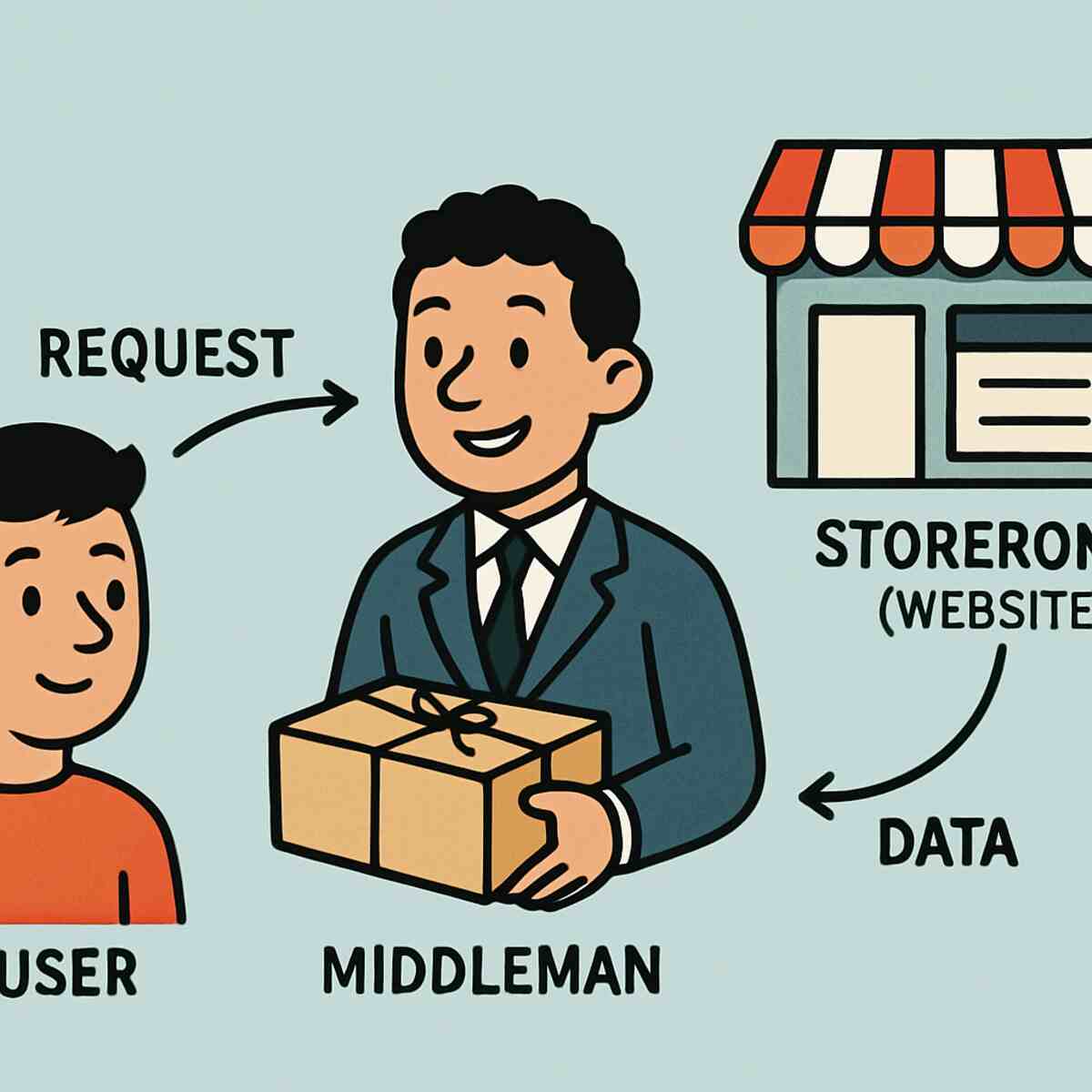
Reclaiming your privacy requires changing the address you present to the world. A proxy acts as a digital middleman, standing between you and the websites you visit. By routing your connection through a different server, a proxy masks your real location, making it appear as though you are browsing from a completely different city or country. We have analyzed the top proxy services designed to keep your online identity secure.
The Personal Shopper Analogy: How a Proxy Service Actually Works
When you click a link on a website, your computer usually shouts a direct request to that server, automatically revealing your IP address like a digital return address. A proxy service fundamentally shifts this dynamic by stepping in as a discreet middleman. Think of it like hiring a personal shopper to run errands for you: you hand them a list, they go to the store, and they bring the items back. The store clerk only interacts with the shopper and checks their ID, remaining completely unaware that the purchase is actually for you. In the digital realm, the website sees the proxy’s IP address instead of yours, masking your true location while delivering the specific content you requested.
This separation offers more than just anonymity; it provides the ability to virtually relocate at will. If your digital middleman is stationed in London, the website assumes you are physically browsing from the UK. This function allows you to step over regional fences or access local pricing abroad. However, simply rerouting your request is not the same as encrypting your entire internet connection.
VPN vs Proxy: Choosing the Right Shield for Your Specific Needs
While many people use these terms interchangeably, the distinction between vpn vs proxy lies in the scope of protection. A Virtual Private Network (VPN) operates at the system level, acting like a secure tunnel for every single program on your device—from your email client to Spotify. In contrast, a proxy typically works at the application level, meaning it only reroutes traffic for the specific browser or program where you set it up. If you configure a proxy in Chrome to watch a video, your sensitive banking app running in the background remains completely untouched and exposed.
Speed and security often pull in opposite directions. Because VPNs wrap your data in heavy layers of encryption to scramble it from prying eyes, they can sometimes slow down your connection. Proxies usually skip this intense encryption step, simply changing your digital location without locking the package. This makes proxies significantly faster and better suited for low-risk tasks, such as checking flight prices in another currency or bypassing a regional block on a streaming site.
Key differences help determine which tool fits your current digital errand:
- Coverage: VPNs protect the whole device; Proxies protect only one browser.
- Encryption: VPNs scramble data for high security; Proxies focus on location masking.
- Speed: Proxies are generally faster because they avoid heavy processing overhead.
The Danger Zone: Why a ‘Free Proxy Service List’ is a Security Nightmare
Googling a free proxy service list and picking the first option often carries a hidden price tag. Just as you wouldn’t trust a random stranger on the street to hold your wallet, you shouldn’t trust an unknown server with your personal internet traffic. Cybercriminals frequently set up “honey pots”—traps disguised as helpful, open servers designed specifically to lure you in. Once you connect to these traps to save a few dollars, the operators can log your passwords, credit card numbers, and personal emails as the data passes through their hands.
Beyond passive snooping, the risks of using public proxy servers extend to actively tampering with the websites you visit. Since the proxy acts as a middleman, it controls exactly what data reaches your screen, allowing malicious owners to “inject” their own code into your browsing session. This often manifests as an overwhelming flood of popup ads covering the content you are trying to read, or worse, invisible malware that downloads to your device without a single click. Instead of bypassing a simple geographic restriction, you might inadvertently give a hacker control over your browser.
The best free proxy server alternatives are almost always reputable paid providers that offer limited free trials or cheap entry tiers. These companies sustain their business through subscription fees rather than selling your identity, ensuring that your digital mask doesn’t become a security liability.
Residential vs Datacenter Proxies: Choosing Between Stealth and Speed
Imagine trying to enter an exclusive club; if you look like a local, the bouncers let you right in. Residential proxies work exactly like this because they use IP addresses assigned to real home internet connections rather than commercial facilities. Since these addresses look like legitimate families browsing the web, strict websites—including major streaming platforms—rarely flag them as suspicious. If your goal is blending in to avoid being blocked while shopping or watching videos, these “home-style” connections are the gold standard for stealth.
On the other side of the spectrum are the digital workhorses known as datacenter proxies. These IPs are hosted in massive industrial server farms designed purely for performance rather than camouflage. While this setup offers low latency datacenter proxy servers that process data in milliseconds, they lack the human disguise of their residential counterparts. Websites can easily identify these addresses as coming from a cloud facility, so the choice comes down to a trade-off between raw speed and unblockable access.
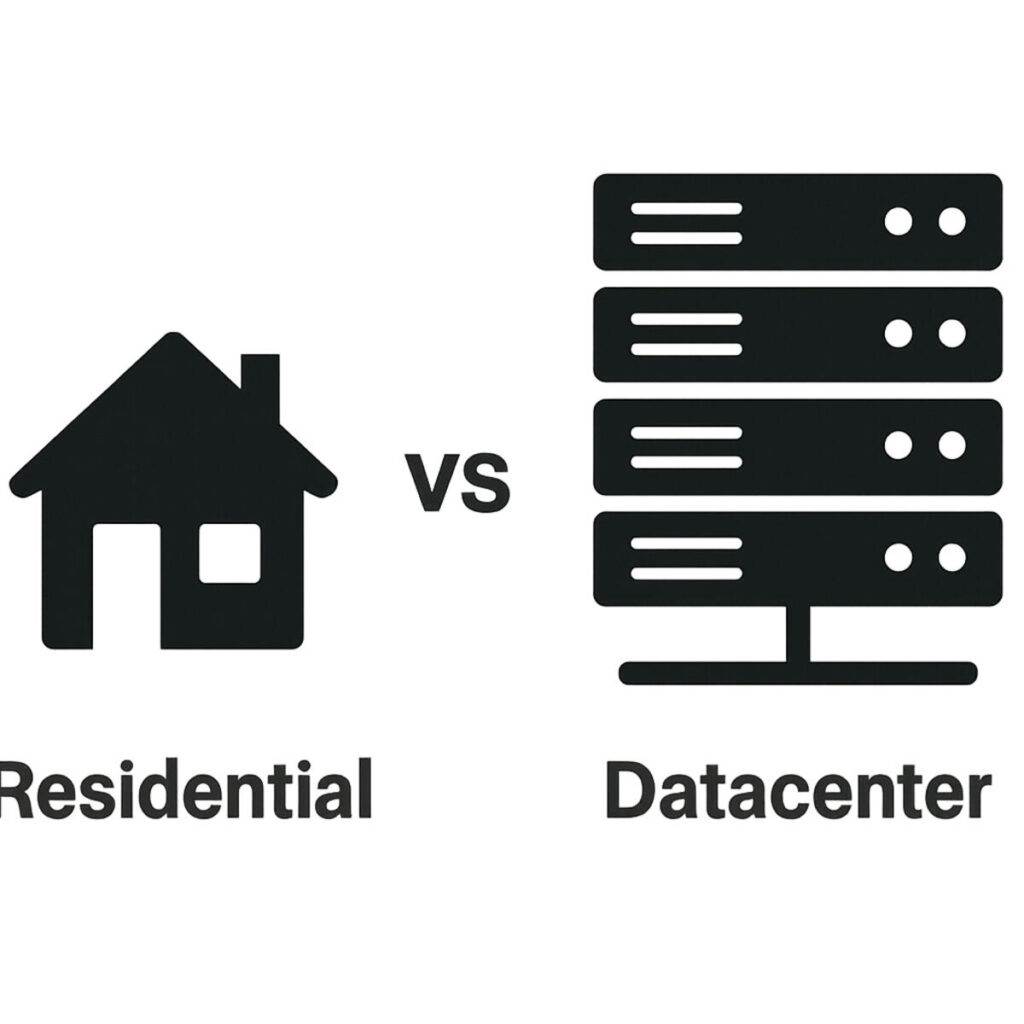
If you need to rapidly compare prices across hundreds of sites cheaply, the high-speed datacenter option is ideal. However, if you want to access a specific service without triggering security alarms, the residential option provides the necessary trust.
Bypassing Geo-Restrictions: Accessing Global Content from Your Living Room
“This content is not available in your region” serves as a frustrating roadblock, but it is effectively just a digital padlock checking your current location. Websites determine your eligibility based on your IP address, treating it like a passport that strictly limits your movement. By routing your connection through a proxy in a different country, you instantly swap that passport, tricking the site into believing you are browsing from a local café in London or Tokyo rather than your living room.
Streaming giants like Netflix have become aggressive at spotting commercial server connections, which is why bypassing geo-restrictions with residential IPs is the most reliable method. Because these proxies borrow legitimate addresses from real households in the target country, they pass the strict “human verification” checks that frequently block standard VPNs.
A high-quality proxy service allows you to unlock three major categories of content:
- Streaming Libraries: Access movies and TV shows exclusive to foreign catalogs.
- Local News: Read journalism from publishers that block international traffic.
- Regional Gaming: Play on specific servers or access releases before they launch in your area.
SOCKS5 Protocol: The Fast Lane for Secure and Versatile Browsing
While standard proxies are excellent at handling web pages, they often struggle when asked to manage other types of internet traffic. The SOCKS5 protocol for secure browsing acts less like a specific language translator and more like a universal courier, capable of carrying any type of digital package regardless of its contents. You are not limited to just unblocking websites in Chrome or Safari; you can use this connection type to route traffic for specific applications like torrent clients, video chat software, or secure messaging apps without affecting the rest of your computer.
Speed is often the deciding factor for users moving large files, and this is where SOCKS5 truly shines. Because this protocol transfers data efficiently without rewriting the information—essentially passing the envelope without delaying to read the letter inside—it significantly reduces lag. This efficiency makes it the ideal partner for low latency datacenter proxy servers, ensuring that data-heavy activities like online gaming or downloading large media files remain responsive.
Beyond raw performance, this protocol supports authentication, meaning it can require a username and password before a connection is established. This prevents unauthorized users from piggybacking on your connection, a common risk with free or public proxy options.
Automatic IP Rotation: Why a ‘Changing Disguise’ is Essential for Privacy
Staying on a single proxy connection for too long allows websites to build a profile of your activity based on your behavior. To prevent this, modern services offer a feature that automatically swaps your digital identity at set intervals, acting like a spy constantly changing outfits to shake off a tail. This ensures that by the time a website attempts to log your presence, you have already moved on to a completely different digital fingerprint.
Constant shifting effectively disrupts the tracking mechanisms used by advertisers and security bots. One of the most significant automatic IP rotation benefits is the reduction of those frustrating “Prove you are human” CAPTCHA puzzles, which typically appear when a website flags a single connection for excessive activity. By refreshing your connection with a new address for every web page you visit, you appear as a fresh, unrelated visitor each time, preventing companies from stitching together your browsing history into a cohesive file for targeted marketing.
Choosing between rotating versus static ip addresses ultimately depends on your goal. While a static, unchanging address is better for logging into sensitive accounts like banking or social media—where a sudden location change might trigger a suspicious activity lockout—rotation is the superior choice for comparing prices or general browsing without being followed.
High Anonymity vs Transparent Proxies: Knowing if Your Mask is Leaking
Just because you are using a middleman doesn’t mean you are invisible to the websites you visit. Some servers, known as transparent proxies, act like a delivery driver who hands over your package while loudly announcing your full name and home address to the recipient. These services forward your web requests but pass along your original IP address in the background data (headers), completely defeating the purpose of trying to browse privately. If your goal is security, you must avoid these “leaky” masks often found on free lists.
Most providers will categorize their servers into three distinct tiers based on how much information they reveal:
- Transparent: Passes your real IP address to the website (zero privacy).
- Anonymous: Hides your real IP but tells the website, “I am a proxy server.”
- High Anonymity (Elite): Hides your IP and pretends to be a standard device, making you look like a regular user.
Understanding these differences ensures you don’t accidentally expose yourself when privacy matters most. For the best results, always stick to “Elite” proxies, which create a seamless illusion that you are physically located in the server’s country.
Smart Shopping Secrets: Using Proxies to Beat Price Discrimination
Have you ever noticed flight prices jumping up just because you refreshed the page? It isn’t bad luck; it is likely an algorithm adjusting costs based on your location. Online retailers and airlines often use dynamic pricing, charging users in wealthy countries significantly more for the same ticket or software license. By connecting through a server in a different country, you effectively swap your digital passport, tricking the pricing algorithm into offering you the local rate rather than the inflated tourist price.
Successfully unlocking these discounts requires choosing the right digital disguise. Retail sites easily detect and block commercial data centers. To beat these checks, you need a provider that offers residential IPs—connections that appear as real home Wi-Fi networks. This “camouflage” is essential because savvy booking engines will immediately flag traffic coming from known corporate server farms, blocking your access before you even see the price.
Savvy shoppers using this method frequently save 10% to 20% on international flights simply by browsing from a lower-income market. However, manually checking prices across ten different countries can be tedious. For those looking to gather this pricing data automatically at scale, the strategy shifts from manual browsing to automation.
Web Scraping with Rotating Mobile Proxies: The Ultimate Stealth Tool
For users who need the absolute highest level of camouflage, mobile proxies offer a disguise that is nearly impossible for websites to distinguish from legitimate traffic. Unlike home Wi-Fi connections, cellular networks force thousands of distinct smartphones to share the same IP address simultaneously, creating a form of digital “safety in numbers.” Websites are hesitant to block these shared connections because doing so would accidentally ban hundreds of real human users along with any automated traffic. This specific architecture makes web scraping with rotating mobile proxies the most reliable method for accessing strictly guarded sites without raising alarms.
While this level of stealth offers unparalleled access, it comes at a premium price point that is often overkill for simple browsing tasks. Mobile proxies are best reserved for high-stakes activities—such as managing business social media accounts or securing limited-edition concert tickets—where getting blocked effectively burns a valuable opportunity. If your needs are less critical, relying solely on expensive cellular networks isn’t necessary to maintain access.
Avoiding IP Bans: 3 Strategies for Safe and Continuous Data Harvesting
Even the best disguise won’t help if you sprint through a store, knocking items off shelves. Websites watch how you browse just as closely as where you are browsing from. If you open distinct pages instantly or refresh a site fifty times a minute, security systems will flag you as a robot regardless of your IP address. Avoiding IP bans while data harvesting requires blending in with the herd by adopting human-like habits rather than relying solely on your connection type.
- Respect Speed Limits: Humans take time to read and scroll. Add a random delay of a few seconds between clicks (often called “throttling”) to prove you aren’t a machine.
- Rotate Your “Digital ID Card”: Every browser sends a “User-Agent” tag identifying itself (e.g., Chrome on Windows). If you switch IPs but keep the same tag, sites will recognize you. Ensure your tools switch this label frequently.
- Don’t Overuse One Source: Even web scraping with rotating mobile proxies can trigger alarms if you hammer a site from a single city. Spread your activity across different regions to dilute your footprint.
Sometimes, you need raw speed rather than stealth—like when trying to snag a sneaker drop the second it goes live.
Low Latency Datacenter Proxies: When Milliseconds Mean Everything
Speed isn’t just about how fast you can download a file; often, it is about how quickly a website acknowledges your request. This reaction time is called latency. For competitive tasks like buying limited-edition concert tickets or online gaming, you need low latency datacenter proxy servers to ensure your click registers instantly. Unlike residential connections that take a winding path through local neighborhoods, these servers sit in optimized commercial facilities designed to send data in a straight, lightning-fast line.
Geography dictates speed because data still has to cross physical distance. If the website you are accessing hosts its computers in New York, but your proxy is in Tokyo, your signal wastes time crossing an ocean and back. To get the best performance, select a server location physically close to the target website’s headquarters. Shortening the travel distance shaves off critical milliseconds that often distinguish success from failure in high-speed environments.
While speed helps secure split-second victories, other tasks require a connection that stays put for the long haul.
Static vs Rotating IP Addresses: Which One Fits Your Routine?
Imagine walking into your local bank wearing a different mask every five minutes; the security guards would immediately lock the doors. This is exactly how websites react when you try to log into sensitive accounts like PayPal or Facebook using a connection that constantly changes. A static IP acts like a permanent digital residence, providing the stability needed for these platforms to recognize and trust you. When you are managing social profiles or handling online payments, consistency proves you are the legitimate owner rather than an intruder trying to break in.
Conversely, situations exist where being recognized works against you, such as when you are comparing flight prices or researching market trends. If an airline website sees you checking the same route repeatedly, it might raise the price to pressure you into buying, but a rotating IP prevents this by assigning you a fresh digital identity for every request. By automatically switching your connection details, these tools make it appear as though distinct individuals are browsing, keeping your true activity completely anonymous. This approach is ideal for tasks requiring invisibility rather than long-term trust.
Setting Up Proxy Settings on Chrome: A 3-Minute Step-by-Step Guide
Possessing your unique IP address and port number is like holding the coordinates for a destination, but you still need to enter them into the navigation system to get there. Unlike some software that has independent internal controls, setting up proxy settings on chrome actually redirects you to your computer’s system-level configuration. This means that once you apply these changes, they generally affect all traffic coming from your device, not just the web browser. It is akin to rerouting your home’s entire water supply rather than just changing a single faucet, so be aware that other applications might also start using this new connection.